Most popular
Financial Dashboard
Revenue, expenses, profit, and cash flow. Built in your palette, with live formulas and a data sheet you can replace.

Choose a sample Excel dashboard and upload your data. AI adapts the dashboard to your spreadsheet. Download the result as a native .xlsx file.
Choose a dashboard example and let AI adapt it to your data. Open the file in Microsoft Excel or Google Sheets.
AI reads your sheets, column types, dates and metrics, then suggests the dashboard type your data actually supports.
Keep the suggested dashboard type or choose another. Pick a color palette and describe what the dashboard should show.
Preview every card and chart. Pay only when you're ready to download the native .xlsx file.
Choose an Excel dashboard example, upload your spreadsheet and tell AI what the dashboard should show. Below, see what data works best, which dashboard types are available and how the finished file stays interactive.
A dashboard from Excel data needs tabular data with one header row, where each row is a single record. The useful shape is a date column, one or two categorical columns (region, department, project, category) and at least one numeric metric. Empty rows, blank cells and mixed date formats are handled on upload, so time-series charts build without formula errors.
AI suggests a dashboard type based on your columns. Choose from the examples below, or select Other to build a dashboard around your goal.
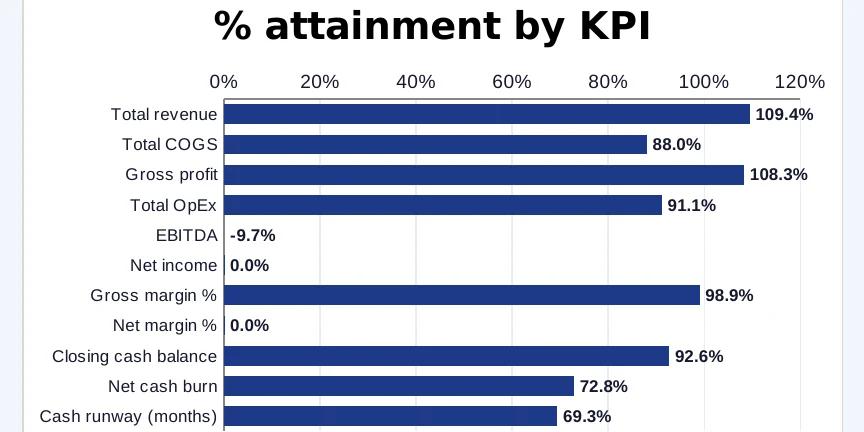
Key metrics, targets and trends: where each number stands against plan and which way it is moving.
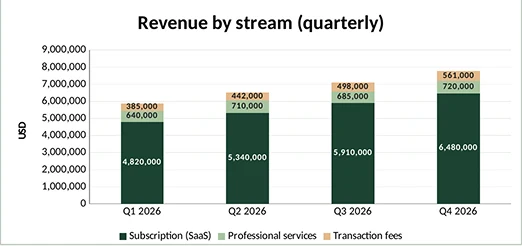
Revenue, expenses, profit and cash flow in one view, filterable by period and category.
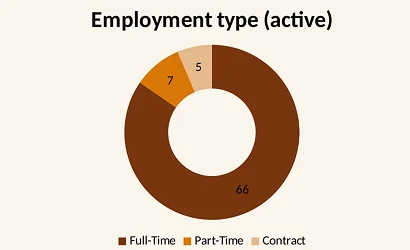
Headcount, hiring, retention and workforce trends across teams and time.
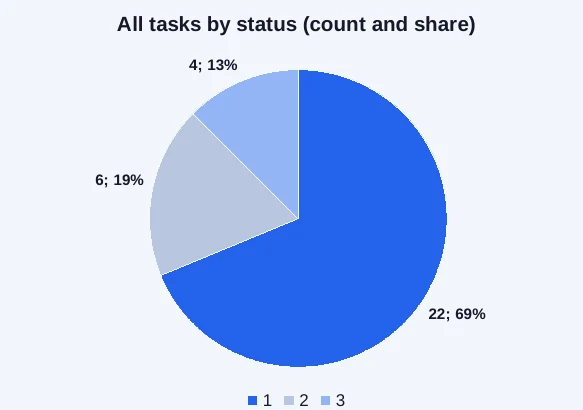
Project progress, timelines, budgets and team workload, without opening three tabs.
You pick the palette before generating, and the whole dashboard, cards, charts and accents, is built in it. The brief matters more. "Monthly regional sales for the leadership review" and "track hiring against plan" produce different first screens from the same kind of file, because the brief decides which metrics lead and how they are grouped. One or two sentences is enough.
Creating a dashboard in Excel by hand means pivot tables, slicer connections and nested SUMIFS and INDEX/MATCH. This excel AI tool writes that layer for you. The output is a native .xlsx with a Dashboard worksheet wired by formula to your original data tab: change a number in the raw sheet and the dashboard recalculates. Every formula is visible and editable, and there are no macros, so the file opens without security warnings.
You pay after you've seen the dashboard. One-time payment either way: no plan to cancel, no monthly charge for a file you needed once.
Single dashboard · Interactive .xlsx with charts and slicers
10 dashboards · only $1.45 per file
Unlocked formulas, edit anything · No account required · Your 10 downloads never expire · Any mix of dashboard types
Everything you need to know about uploading, dashboard styling, and licensing.
.xlsx, .xls and .csv, up to 25MB. If your workbook has several sheets, we read all of them and build the Excel dashboard from the one that holds your data.
It reads your column names, data types and date ranges and matches them to one of four types: KPI, Financial, Human Resources or Project Management. When your data fits none of them, Other builds a custom dashboard around what's in the file.
Yes. The suggestion is a starting point: pick any type before generating, and the layout and metrics are rebuilt around your choice. You also pick the color palette and write a short brief describing what the dashboard should show.
The complete dashboard, rendered from your real data: every card, chart and filter. It is ready in a few minutes, the preview is free, and payment only unlocks the download.
A working file. You download a native .xlsx with charts, slicers and live formulas: change a number in the data sheet and the dashboard recalculates. Nothing is locked, there are no macros, and it opens in Excel, Google Sheets or Apple Numbers.
A single purchase is $2.90 for one file. The pack is $14.50 for ten, $1.45 each, usable on any mix of dashboard types, and the ten downloads never expire. Both are one-time payments; there's no subscription either way.
No. Upload, generate, pay, download. An account only matters if you buy the 10-dashboard pack and want to use the remaining downloads later.
No add-ins to install and no model to maintain. Upload a file, preview the interactive Excel dashboard, download the .xlsx.