HR Dashboard Excel Template
Headcount, hiring and retention across teams in one interactive Excel sheet. Upload your spreadsheet and get the dashboard built from your own data in a few minutes.
- HR dashboard Excel
- HR dashboard template
- headcount dashboard
- employee turnover tracker
- recruitment dashboard
- workforce report
Upload your data and get this template filled in automatically
What is an HR dashboard in Excel
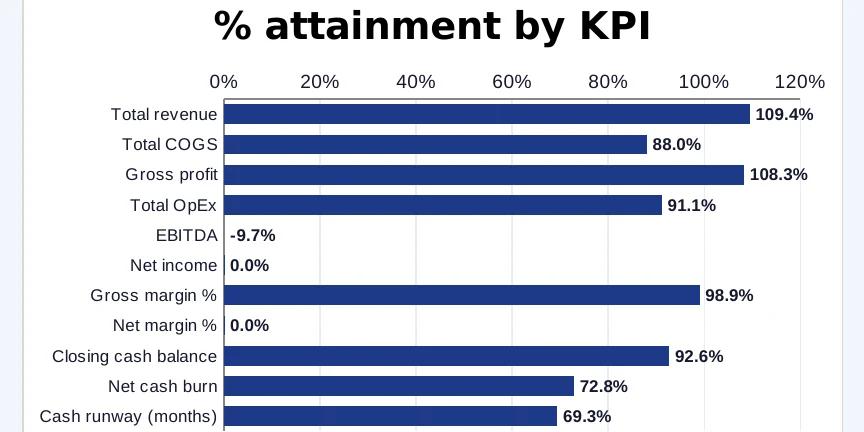
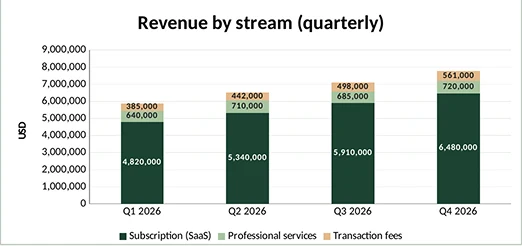
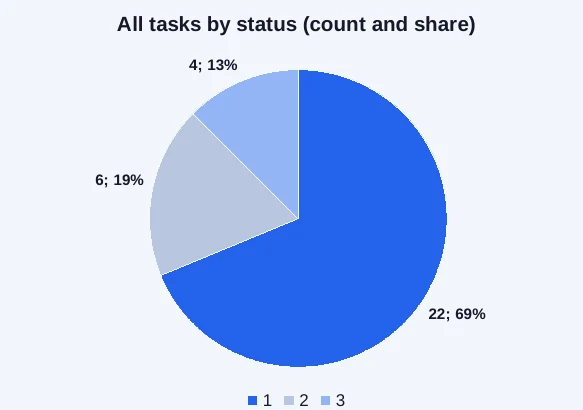
An HR dashboard shows the state of the workforce on one sheet: how many people work in each team, how hiring is going, who is leaving and how long open roles stay open. Instead of digging through an employee list, HR and team leads see headcount against plan, turnover and the hiring pipeline at a glance. Built in Excel, every number is a formula linked to the data sheet.
How to build this HR dashboard
No pivot tables or lookup formulas to set up. The dashboard is generated inside a native Excel file:
- Upload the spreadsheet with your employee list or monthly HR figures.
- Pick a color palette; the HR dashboard type is already set.
- Preview every sheet of the generated workbook before paying.
- Download the .xlsx file and refresh it as your team changes.
What to include in an HR dashboard
Start with active headcount against plan, broken down by department. Add turnover for the year, time to fill open roles and offer acceptance rate, each with a target so the dashboard can flag what is off track. A hiring funnel from applications to hires and a split by employment type round out the first screen; individual records belong on the data sheet.